By Ken Bianchi August 1, 2026
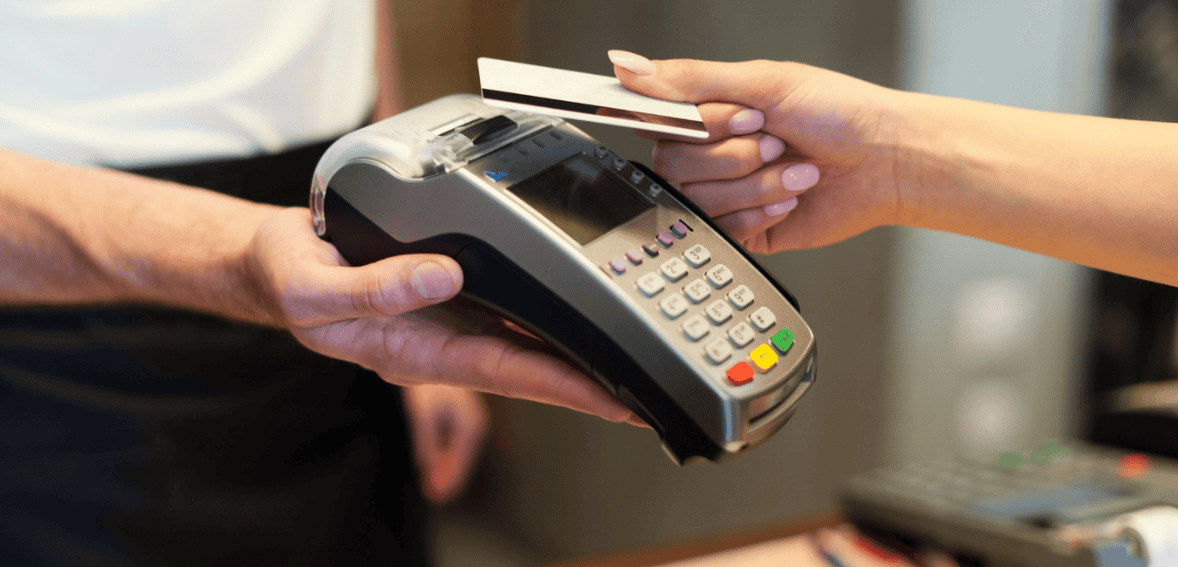
For many Indiana businesses, accepting card payments is now a basic requirement rather than an optional convenience. Customers expect fast, secure, and flexible checkout experiences whether they are shopping at a retail store, dining at a restaurant, paying for a professional service, or completing a purchase at a local market. The credit card terminal used by a business plays an important role in how smoothly those transactions are completed.
However, selecting the right terminal is not always simple. Business owners are often presented with different devices, payment processors, pricing plans, software packages, security features, and contract terms. A terminal that appears affordable at first may become expensive once processing fees, maintenance costs, or long-term agreements are considered. In other cases, businesses choose equipment that cannot support the payment methods their customers prefer.
Many problems can be avoided when owners take time to understand their operational needs before choosing payment terminals. A good decision should consider transaction volume, business type, payment security, software compatibility, customer expectations, and future growth. Understanding the most common mistakes can help Indiana businesses avoid unnecessary costs and create a better checkout experience.
Choosing a Terminal Based Only on Price
One of the most common mistakes businesses make is selecting the cheapest terminal available. Low-cost equipment can appear attractive, especially for a new business trying to control startup expenses. However, the purchase price is only one part of the total cost.
A cheaper device may have limited features, slower processing speeds, weak software support, or higher transaction fees. It may also become outdated quickly, forcing the business to replace it sooner than expected. Some low-cost offers are connected to long contracts or equipment leasing arrangements that cost significantly more over time.
A useful POS buying guide should encourage owners to compare the complete cost of ownership rather than focusing only on the price displayed on the equipment. This includes processing charges, monthly fees, software subscriptions, maintenance, replacement costs, and possible cancellation penalties.
The most affordable terminal is the one that provides reliable service at a reasonable total cost, not necessarily the one with the lowest initial price.
Ignoring the Needs of the Business
Different businesses have different checkout requirements. A countertop terminal may work well for a small retail store, while a restaurant may need portable devices that allow servers to accept payments at the table. A mobile service provider may need a wireless terminal that works reliably outside a traditional store environment.
Some businesses purchase equipment before clearly understanding how payments are processed during daily operations. This can result in a device that creates delays, limits mobility, or fails to support important functions.
Before selecting merchant terminal solutions, owners should consider where transactions take place, how many customers are served, how many employees use the system, and which payment methods are commonly requested. They should also think about whether the business needs tipping features, receipt printing, inventory tracking, customer profiles, or online payment integration.
Choosing technology that matches the actual workflow of the business creates a smoother experience for both employees and customers.
Failing to Compare Processing Fees
Credit card terminal costs are often closely connected to payment processing fees. A business may receive free or discounted equipment but pay higher fees on every transaction. Over time, these charges can become far more expensive than purchasing the equipment directly.
Processing fees may include a percentage of each sale, a fixed transaction charge, monthly service fees, statement fees, compliance fees, and other costs. The structure can vary depending on the provider and the type of card used.
When choosing payment terminals, businesses should request a clear explanation of every fee. They should also estimate how those charges will affect their average monthly sales volume.
A terminal that appears affordable for a low-volume business may become expensive when transaction numbers increase. Comparing the long-term processing cost helps owners make a more accurate financial decision.
Signing Long Contracts Without Reading the Terms
Some payment terminal providers require businesses to sign multi-year contracts. These agreements may include early termination fees, automatic renewal clauses, equipment return requirements, or restrictions on changing processors.
Business owners sometimes sign quickly because they want to begin accepting payments as soon as possible. However, unclear contract terms can create serious problems later if service quality declines, fees increase, or the business needs different equipment.
A reliable POS buying guide should always include a careful review of contract length, cancellation policies, renewal conditions, and equipment ownership. Businesses should know whether they are buying, renting, or leasing the terminal.
Understanding these details before signing protects the business from unexpected costs and provides greater flexibility if operational needs change.
Leasing Equipment Without Comparing the Total Cost
Equipment leasing can reduce the initial financial burden of purchasing a credit card terminal. However, some leases require businesses to make payments for several years, even when the equipment itself is inexpensive.
By the end of the agreement, the business may have paid several times the actual value of the device. In some cases, the terminal must still be returned to the leasing company at the end of the contract.
Leasing is not always a poor choice, but it should be evaluated carefully. Businesses should calculate the full amount that will be paid over the lease period and compare it with the cost of purchasing the terminal.
Avoiding this type of business payment technology mistake requires simple financial planning. Owners should understand exactly what they are paying for and whether the agreement provides meaningful benefits such as maintenance, replacements, or ongoing upgrades.
Overlooking Payment Method Compatibility
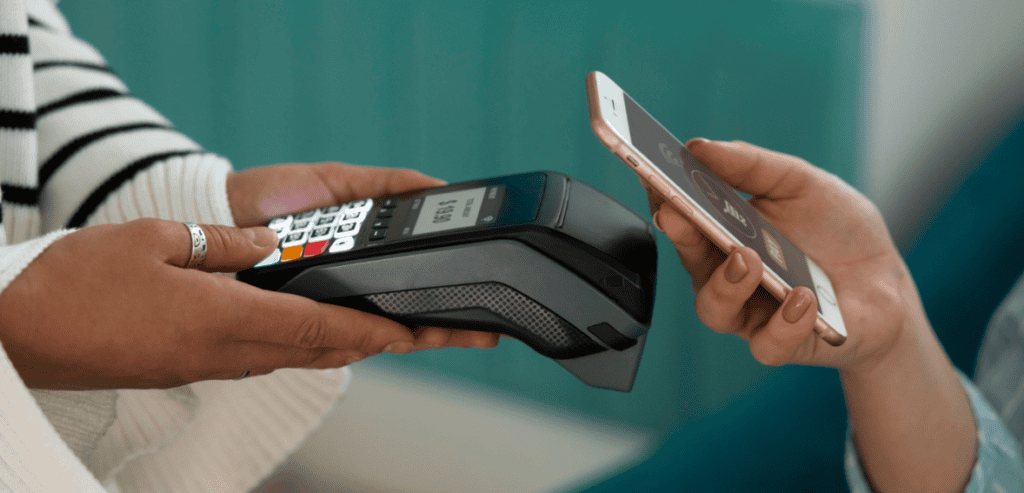
Customers now use many different ways to pay. Traditional magnetic stripe cards are still used, but chip cards, contactless cards, mobile wallets, and digital payment applications have become increasingly common.
A terminal that accepts only limited payment methods can create inconvenience and lost sales. Customers may become frustrated if they cannot use the card or mobile wallet they prefer.
Modern merchant terminal solutions should support chip transactions, contactless payments, and common mobile wallets. Businesses should also consider whether they need gift card processing, QR code payments, electronic benefits, or other specialised payment options.
Selecting flexible equipment helps a business serve more customers while preparing for future changes in payment behaviour.
Ignoring EMV Chip Technology
EMV chip technology has become an important security standard for card payments. Chip-enabled transactions are generally more secure than traditional magnetic stripe transactions because they create unique data for each purchase.
Businesses that rely on outdated equipment may face greater fraud exposure and potential financial liability. They may also create a slower or less secure checkout experience.
One of the most serious retail checkout mistakes is continuing to use old equipment simply because it still turns on and processes basic transactions. Outdated technology can create hidden risks that are not immediately visible.
Indiana businesses should confirm that any terminal they consider supports modern chip card processing and receives regular security updates.
Choosing a Terminal That Is Too Complicated
Some terminals include advanced features that appear impressive but may not be necessary for every business. Purchasing an overly complex system can make employee training more difficult and increase software costs.
A small business with a limited product range may not need an enterprise-level platform with advanced inventory forecasting, multi-location reporting, and complex customer management tools.
The best business payment technology should support daily operations without creating unnecessary confusion. Owners should focus on features that solve actual business problems rather than selecting equipment based on the longest feature list.
A simple, reliable terminal is often more valuable than a complicated system that employees struggle to use correctly.
Selecting Equipment That Cannot Grow With the Business
While some businesses choose systems that are too complex, others choose equipment that is too limited. A basic terminal may meet current needs but become unsuitable when the business expands.
Growth may involve adding more locations, hiring more employees, introducing online sales, creating a loyalty programme, or expanding the product range. Replacing the entire payment system every time the business grows can be expensive and disruptive.
A strong POS buying guide should encourage owners to consider future plans as well as present needs. The system should be flexible enough to add devices, users, software features, or integrations when required.
Scalable technology allows businesses to grow without starting the payment setup process again from the beginning.
Failing to Check Internet and Connectivity Requirements
Many modern credit card terminals depend on internet access. Some connect through Wi-Fi, Ethernet, cellular networks, or a combination of these options.
Businesses may purchase a device without confirming whether their internet connection is stable enough to support it. Slow or unreliable connectivity can lead to delayed transactions, failed payments, and long checkout lines.
Before choosing payment terminals, owners should evaluate the quality of their connection and ask whether the device supports backup options. Some systems can continue processing certain transactions during temporary internet outages and upload the information later.
Reliable connectivity is essential for maintaining fast and consistent payment service.
Ignoring Mobile and Portable Options
Countertop terminals are still useful, but they are not suitable for every business. Restaurants, home service providers, delivery businesses, trade shows, outdoor markets, and mobile professionals often need portable payment options.
A fixed terminal may force customers to walk to a separate checkout area or prevent employees from accepting payments where services are delivered.
Modern merchant terminal solutions may include wireless terminals, tablets, smartphones, or handheld POS devices. These options allow transactions to be completed wherever the customer is located.
Choosing the right level of mobility can improve convenience, reduce waiting time, and create a more professional customer experience.
Forgetting About Integration With Existing Software
A credit card terminal may need to connect with accounting software, inventory systems, ecommerce platforms, customer databases, or appointment scheduling tools. If the equipment cannot share information with these systems, employees may need to enter the same data manually.
Manual data entry increases administrative work and creates a greater risk of mistakes. Sales reports may not match inventory records, and payment information may take longer to reconcile.
Successful business payment technology should support useful integrations that reduce repetitive work. Before purchasing a terminal, businesses should confirm whether it can connect with the software they already use.
Integration is especially important for businesses that sell both online and in physical locations because inventory and sales data must remain consistent across channels.
Neglecting Security and Data Protection
Payment terminals handle sensitive financial information, making security one of the most important parts of the selection process. Businesses that choose outdated or poorly supported equipment may increase the risk of fraud or data breaches.
Terminals should support encryption, secure authentication, tokenisation, and regular software updates. Providers should also help businesses understand payment card security requirements and safe operating practices.
One of the most damaging retail checkout mistakes is treating security as a feature that can be considered later. Security should be reviewed before the equipment is purchased and throughout its useful life.
Protecting customer information supports trust and reduces the financial and reputational impact of payment-related incidents.
Overlooking Employee Training
Even the best terminal can create problems if employees do not know how to use it correctly. Staff may struggle with refunds, split payments, tips, gift cards, manual card entry, or end-of-day reports.
Inadequate training leads to slower checkout, transaction errors, and customer frustration. Employees may also use insecure shortcuts if they do not understand proper procedures.
When evaluating merchant terminal solutions, businesses should ask what training resources are included. These may include live demonstrations, videos, written guides, online support, or practice environments.
Training should continue after installation, especially when new features or software updates are introduced.
Choosing a Provider With Poor Customer Support
Payment problems can happen at any time. A terminal may freeze, a network connection may fail, or a transaction may not appear correctly. When these issues occur, businesses need quick access to knowledgeable support.
Some providers offer limited support hours or rely on slow email responses. This can be a serious problem for businesses operating during evenings, weekends, or holidays.
A practical POS buying guide should include questions about support availability, response times, replacement equipment, and technical assistance. Owners should know whether help is available by phone and whether emergency support costs extra.
Reliable support reduces downtime and helps employees resolve problems before they affect many customers.
Failing to Test the Checkout Experience
Business owners often evaluate terminals from a technical or financial perspective but forget to consider the customer’s experience. A system may be affordable and secure but still feel slow, confusing, or awkward to use.
Customers should be able to see the amount clearly, select payment options easily, enter a PIN comfortably, and receive a receipt without unnecessary delays. The checkout flow should also work well for customers with different accessibility needs.
Avoiding retail checkout mistakes means testing the complete transaction process before making a final commitment. Employees should also use the terminal in realistic situations, including returns, refunds, and busy periods.
A smooth checkout experience can leave customers with a positive final impression of the business.
Ignoring Receipt and Reporting Options
Some businesses need printed receipts, while others prefer email or text receipts. The terminal should support the receipt options customers expect and the records the business needs.
Reporting features are equally important. Owners may need daily sales totals, employee activity, payment type breakdowns, refund reports, tax information, or multi-location comparisons.
Good business payment technology should provide clear reports that help owners understand sales performance and identify unusual activity. Complicated or incomplete reporting can make financial management more difficult.
Before selecting a terminal, businesses should review sample reports and confirm that the system provides the information required for accounting and decision-making.
Not Considering Transaction Speed
Slow payment processing can create long queues, especially during busy hours. Even a small delay becomes noticeable when many customers are waiting.
Transaction speed depends on the terminal, payment processor, internet connection, and software configuration. Businesses should ask for a demonstration and test how quickly different payment types are completed.
For high-volume retailers, restaurants, and event businesses, speed should be a major factor when choosing payment terminals. A slightly more expensive system may provide better value if it helps employees serve more customers efficiently.
Fast transactions improve customer satisfaction and reduce pressure on staff.
Failing to Plan for Downtime
Technology can fail, and businesses should prepare for situations when a terminal or internet connection becomes unavailable. Without a backup plan, sales may stop completely.
Businesses may need an additional terminal, mobile device, secondary internet connection, or approved offline payment process. Employees should know what steps to follow and when to contact technical support.
Ignoring downtime preparation is one of the most costly retail checkout mistakes because the impact begins immediately when transactions cannot be completed.
A reliable payment setup includes both the main system and a practical recovery plan.
Choosing a Terminal Without Understanding Ownership
Some providers advertise free equipment, but the terminal may remain the property of the payment company. If the business changes processors, closes an account, or ends the contract, the device may need to be returned.
Other agreements include equipment rental or lease terms that continue even after payment processing services are cancelled. Owners may assume they purchased the terminal when they are actually paying for temporary use.
Before selecting merchant terminal solutions, businesses should confirm who owns the equipment, who is responsible for repairs, and what happens when the agreement ends.
Clear ownership terms prevent disputes and unexpected charges.
Overlooking Local Business Conditions
Indiana businesses operate in different environments, from busy urban centres to smaller towns and rural communities. The right payment terminal may depend on internet availability, customer demographics, transaction volume, and seasonal demand.
A large Indianapolis retailer may need multiple high-speed terminals and detailed reporting, while a mobile business serving rural areas may prioritise cellular connectivity and battery life.
A useful POS buying guide should reflect the actual operating environment rather than assuming every business has the same needs. Local conditions can affect which connectivity options, support services, and payment features are most valuable.
Choosing technology that fits the business location improves reliability and customer service.
Forgetting to Review the System Regularly
Selecting a terminal is not the final step. Payment technology, security requirements, customer preferences, and processing costs continue to change.
Businesses should review their setup regularly to confirm that fees remain competitive, equipment remains secure, and the system still supports operational needs. An older terminal may continue working while becoming slower, less secure, or incompatible with newer payment methods.
Regular reviews help businesses identify when upgrades or new business payment technology may provide better value.
A payment system should continue supporting the business rather than becoming a limitation that employees and customers are forced to work around.
Taking Time to Compare Providers
Business owners sometimes accept the first offer they receive, especially when opening a new location or replacing a failed terminal quickly. This can prevent them from discovering better pricing, stronger support, or more suitable features elsewhere.
Comparing several providers gives businesses a clearer understanding of available options. Each quote should include equipment cost, processing fees, monthly charges, contract terms, support, security, and integration details.
The comparison should be based on the same expected sales volume and payment types so the results are meaningful.
Careful comparison makes choosing payment terminals less stressful and reduces the risk of entering an unsuitable long-term agreement.
Conclusion
Credit card terminals affect much more than the moment a customer makes a payment. They influence checkout speed, employee productivity, reporting accuracy, payment security, operating costs, and customer satisfaction. Indiana businesses that choose equipment without reviewing these factors may face unnecessary fees, technical limitations, or service disruptions.
A practical POS buying guide should begin with the needs of the business and the expectations of its customers. Owners should compare total costs, payment methods, security features, connectivity, software compatibility, support quality, and future scalability. They should also avoid common retail checkout mistakes such as ignoring training, signing unclear contracts, or failing to prepare for downtime.
The right merchant terminal solutions provide reliable service without creating unnecessary complexity. By investing in suitable business payment technology, Indiana businesses can create faster transactions, better financial visibility, and a more convenient experience for every customer.