By Ken Bianchi August 25, 2026
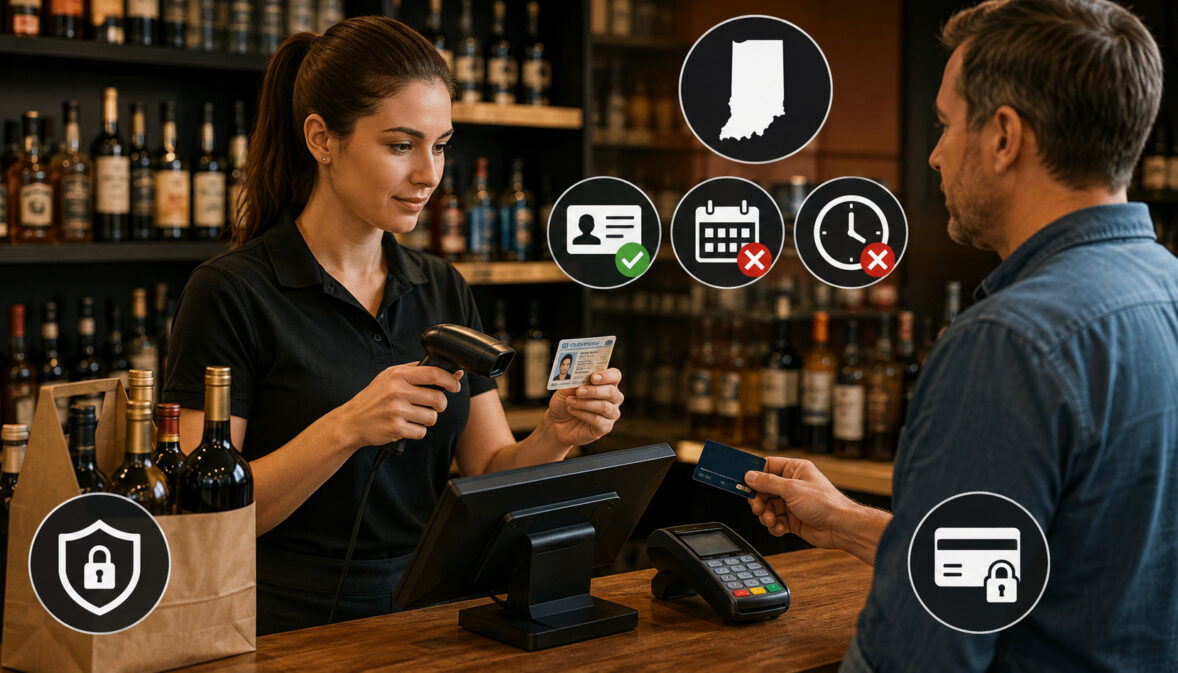
Selling alcohol involves two separate approvals at checkout: the sale must be lawful under the permit and alcohol rules, and the payment must be processed correctly. A card authorization cannot override age restrictions, permitted sales hours, or permit conditions, while alcohol-law compliance does not replace PCI DSS or payment-security obligations.
That distinction matters at every Indiana liquor store register, grocery checkout, restaurant bar, hotel, brewery taproom, pickup counter, and delivery handoff.
A transaction can be technically approved by the payment network yet still be an unlawful alcohol sale because the buyer is underage, the ID cannot be verified, the permit does not authorize the activity, or the transaction falls outside the applicable sales window.
The most useful way to think about Indiana alcohol point-of-sale compliance is as a sequence:
Permit Type → Product/Transaction Type → Permitted Sales Time → Customer Age/ID Verification → POS Approval → Payment Authorization → Receipt/Fulfillment → Required Records → Reconciliation
For delivery transactions, the sequence changes slightly:
Online Order → Payment → Order Review → Delivery Eligibility → ID/Age Verification at Handoff → Successful Delivery or Refusal → Transaction/Reconciliation Record
The Indiana Alcohol and Tobacco Commission (ATC) administers alcoholic-beverage permitting, while the Indiana State Excise Police provide enforcement and compliance information. The ATC emphasizes that permit privileges vary, making it important to confirm what a particular permit actually authorizes rather than copying another merchant’s practices.
This guide explains how those alcohol-law responsibilities should work alongside POS controls, ID scanning, delivery procedures, card-payment security, refunds, chargebacks, receipts, and transaction records.
How Indiana Alcohol Permits Affect the Register
An Indiana alcohol permit is not simply permission to “sell alcohol.” Indiana has multiple permit classes covering different beverages, locations, methods of sale, and activities.
Retailer permits generally relate to consumption on licensed premises, while dealer permits generally relate to carryout sales, and manufacturers such as breweries, farm wineries, and distilleries operate under their own statutory privileges and limitations.
That means the register should reflect the privileges of the actual licensed location.
A package liquor store, grocery store, restaurant, hotel, brewery, winery, temporary event, and other permit holder should not automatically share the same POS alcohol profile. Even businesses under common ownership can have different permit numbers or privileges at different locations.
At the register, permit differences can affect:
- which alcoholic-beverage categories may be sold;
- whether consumption is on or off the licensed premises;
- whether carryout privileges exist;
- whether delivery is authorized;
- which employees may perform specific alcohol-related duties;
- applicable transaction times;
- fulfillment location; and
- records or operational controls associated with the activity.
The ATC’s permit resources specifically tell applicants to determine the type of permit being sought because permit type determines the authorization being requested. Indiana also uses county alcoholic beverage boards in the permit process, and permit availability can vary by jurisdiction.
A POS system should therefore be configured from the permit outward—not the other way around. A feature being technically possible in software does not mean the permit holder is legally entitled to use it.
For Indiana permit information, the state’s Alcohol Permit Information resources should be treated as a starting point when building or reviewing register rules.
Indiana Alcohol Permit Holder Responsibilities
Indiana alcohol permit holder responsibilities begin with operating within the scope of the permit. Among other obligations, permittees must avoid unlawful sales to minors, observe applicable sales and dispensing restrictions, comply with permit and premises requirements, and ensure that workers who need employee permits have the appropriate credentials.
Indiana law prohibits knowingly, intentionally, or recklessly selling or furnishing alcoholic beverages to a minor. State enforcement guidance also identifies selling to an intoxicated person as unlawful.
Employee requirements deserve separate attention. ATC materials state that employee permits can apply to bartenders, waitstaff, managers, package-store clerks, certain farm-winery employees, and employees of licensed beer or liquor dealers who deliver alcoholic beverages. Restricted permits and training provisions can apply to younger workers performing authorized duties.
Staff training should therefore cover more than how to operate a barcode scanner or payment terminal. Employees need to understand which alcohol items the location may sell, age-verification procedures, refusal protocols, permitted hours, delivery or pickup rules relevant to the location, and when a manager should become involved.
Permit Type vs. POS Configuration
| POS Control | Why Permit Type Matters |
| Alcohol product category | The permit determines which beverages and transactions are authorized |
| Sales hours | Carryout and on-premises transactions can have different time restrictions |
| Carryout eligibility | Not every permit automatically includes identical carryout privileges |
| On-premises sale | Must correspond to the licensed premises and permit |
| Delivery/pickup | Authorization depends on the applicable permit and delivery provisions |
| Age verification | Register prompts should support the applicable legal ID-check requirements |
| Transaction reporting | Reports should identify activity by location, transaction type, and product where useful |
For merchants also reviewing their payment setup, an informative overview of credit-card and digital payment methods can help distinguish payment technology from the regulatory rules governing what may actually be sold.
Indiana Age Verification Rules and ID Scanning
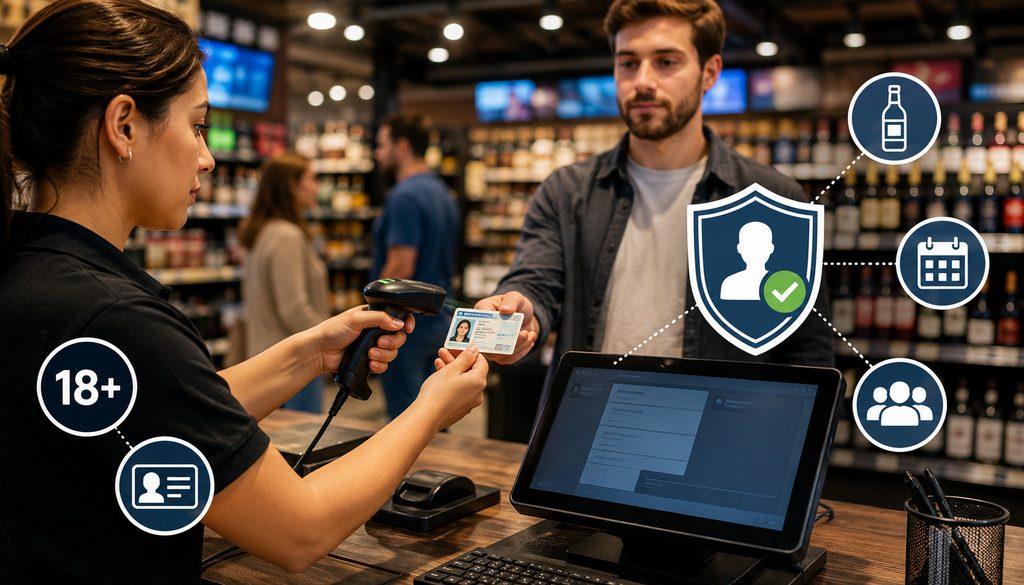
Indiana’s minimum legal age for purchasing alcoholic beverages is 21. But “the customer says they are 21” and “the card payment was approved” are not substitutes for an appropriate age-verification process.
Indiana State Excise Police guidance states that permittees and employees must check identification of a person under age 40 when conducting carryout sales.
For on-premises consumption, the agency states there is no equivalent statutory under-40 identification requirement, while recommending identification from people who appear under age 26. The same guidance identifies picture IDs—including driver’s licenses, state-issued identification cards, and U.S. government identification—as acceptable examples.
Employees should understand the difference between a mandatory carryout ID check and a business policy that goes further. A committee may adopt a stricter house policy—for example, checking everyone—but the policy should be consistently implemented and supported by training.
An employee who is unsure about age or identification should not allow a scanner’s green indicator to force the transaction through. ATC guidance specifically notes that service should be refused when the seller remains uncertain about the person’s age.
What an ID Scanner Can—and Cannot—Tell You
An electronic ID scanner can make age verification faster and more consistent, particularly at high-volume Indiana alcohol POS environments. Depending on the device and document, it may read data encoded in a barcode and calculate whether the date of birth meets a configured age threshold.
A scanner can potentially help identify:
- date of birth;
- stated expiration date;
- machine-readable document information;
- inconsistent or unreadable barcode data; and
- whether the encoded DOB satisfies an age threshold.
It cannot automatically establish every fact necessary for a lawful sale.
A scan generally cannot, by itself, prove that:
- the identification belongs to the person presenting it;
- the photograph actually matches the customer;
- a sophisticated counterfeit document is genuine;
- the physical document has not been altered;
- the customer is not intoxicated;
- the permit allows that particular transaction; or
- the sale is permitted at that date and time.
Visual examination therefore remains important. Employees should compare the photograph and physical characteristics, examine the document for obvious alteration, review the expiration information, and assess whether the presenter reasonably matches the identification.
Is ID Scanning Mandatory in Indiana?
Current Indiana ATC enforcement guidance requires the identification check described above for carryout purchasers under 40, but it does not state that an electronic ID scanner is the mandatory method for performing that check.
The legal obligation to verify identification should therefore not be rewritten in a merchant’s POS policy as a statewide mandate to scan every driver’s license.
An ID scanner can still be a useful internal control. It can standardize age calculations, reduce mistakes when employees manually calculate birthdays, and create a consistent workflow at busy registers.
But the distinction matters legally and operationally:
ID check requirement ≠ electronic scanner requirement.
The ATC has considered ID-scanner controls in enforcement contexts, including a commission matter in which the ability of employees to override an ID scanner was specifically discussed. That illustrates why override design matters, but it does not transform scanners into a universal statutory requirement for every Indiana alcohol permit holder.
Merchants should confirm any permit-specific condition imposed directly on their establishment. A condition attached to a specific permit, settlement, local-board matter, or ATC action may create obligations beyond general statewide guidance.
Visual ID Check vs. Electronic Scan
| Check | Visual Review | ID Scanner |
| DOB | Employee reads DOB | Can calculate age from encoded data |
| Expiration | Employee inspects date | May flag encoded expiration |
| Photo comparison | Yes | Generally no |
| Physical tampering | Employee may notice irregularities | Limited |
| Barcode data | Usually no | Yes |
| Identity match | Requires employee judgment | Cannot conclusively establish presenter identity |
Fake or altered identification should be handled defensively. Staff can be trained to look for inconsistent photographs, obvious physical alteration, damaged security features, inconsistent printed and encoded information, or behavior that creates reasonable doubt.
Training should focus on recognition and refusal—not on details that would help someone manufacture counterfeit identification.
Indiana’s Certified Server Training program covers subjects including false or altered identification, refusal of service, and liabilities associated with alcoholic-beverage sales.
ID Scanner Privacy, POS Prompts, and Sale Refusals
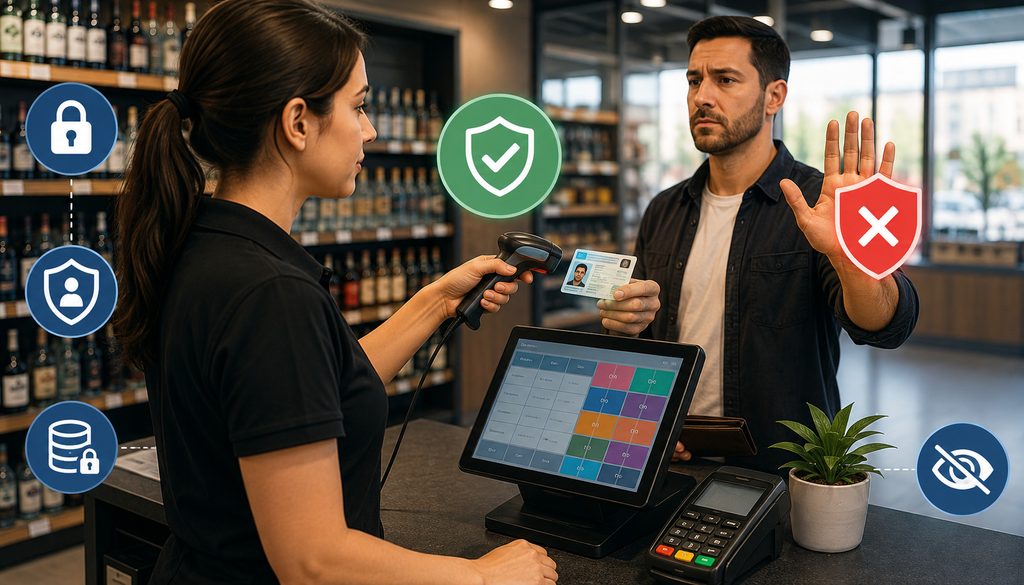
Scanning identification creates a second question: what happens to the data after the age check?
A scanner that merely calculates age and discards document information creates a different privacy exposure from a system that retains names, addresses, driver’s-license numbers, dates of birth, photographs, or complete barcode payloads.
Indiana treats driver’s-license or state-ID numbers as sensitive personal information in several data-protection contexts, so merchants should avoid collecting identification data simply because the scanner makes collection easy.
A defensible ID-data program should follow data-minimization principles:
- collect only information needed for a legitimate purpose;
- determine whether the scanner actually stores data;
- restrict employee and vendor access;
- configure reasonable retention periods;
- secure stored information;
- document deletion procedures;
- review scanner-vendor contracts and privacy terms; and
- avoid storing complete ID images without a demonstrated need.
A merchant should not accumulate a permanent database of driver’s-license information merely in case a chargeback occurs someday. Alcohol-law verification, payment evidence, and identity-document retention are different issues.
POS Age Prompts and Overrides
POS age prompts can reduce human error when properly designed. Useful controls include a DOB prompt, age calculation, an “ID checked” confirmation, supervisor escalation, and a hard stop when verification is unsuccessful.
The strongest workflow makes the cashier take a deliberate action rather than automatically dismissing a generic warning.
For example:
- The cashier scans an alcohol SKU.
- The POS identifies the item as age restricted.
- The system requests the required verification.
- The employee visually examines identification.
- If the scanner is used, electronic results supplement the visual check.
- The cashier confirms verification.
- An exception requires a manager credential and recorded reason.
Managers should periodically review overrides. Repeated overrides by one employee, one register, or one location can reveal a training or control problem before it becomes an enforcement issue.
Refusing an Alcohol Sale
A refusal procedure should be simple enough to follow during a busy shift.
- Stop the alcohol portion of the transaction.
- Briefly tell the customer that the sale cannot be completed.
- Do not argue about the scanner or identification.
- Escalate to a manager under the merchant’s policy.
- Remove or void the alcohol items correctly.
- If payment has already been authorized, follow the void/refund workflow.
- Record the refusal when required or when the merchant’s documented policy calls for it.
A refusal log can record date, approximate time, location, employee, and general reason without storing unnecessary driver’s-license information.
Indiana Sunday Alcohol Sales Rules and POS Time Controls
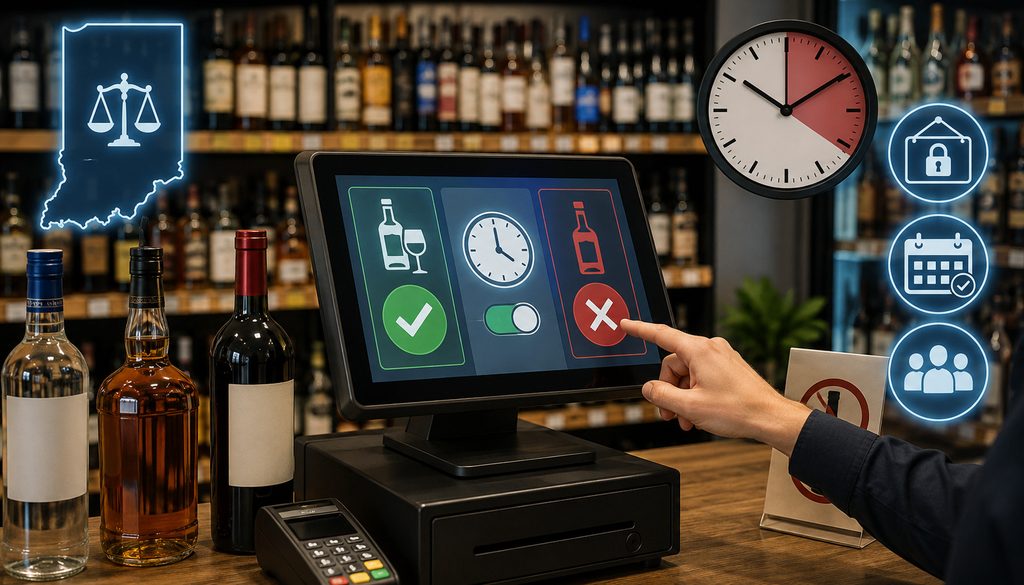
Indiana Sunday sales rules are one of the clearest examples of why a POS needs to distinguish transaction type.
Current Indiana Code allows an appropriate permittee to sell alcoholic beverages generally from 7:00 a.m. local time until 3:00 a.m. the following day. However, Sunday carryout has a narrower statutory window.
For a retailer authorized to sell alcohol for consumption off the licensed premises, carryout is permitted Monday through Saturday from 7:00 a.m. until 3:00 a.m. the following day, while Sunday carryout is permitted from noon until 8:00 p.m., prevailing local time.
Dealer permits follow the same Sunday noon-to-8 p.m. carryout window. On-premises retailer sales may occur Sunday from 7:00 a.m. until 3:00 a.m. the following day.
This creates an important operational distinction:
- Sunday on-premises consumption: generally 7:00 a.m.–3:00 a.m., subject to the applicable permit.
- Sunday carryout: noon–8:00 p.m. for authorized retailer/dealer carryout transactions.
- Monday–Saturday carryout: generally 7:00 a.m.–3:00 a.m. the following day for authorized permittees.
Merchants should consult the current text of Indiana Code Section 7.1-3-1-14 and ATC guidance before changing production POS settings.
Sunday Sales POS Time Restrictions
A grocery store can be open at 9:00 a.m. Sunday and sell groceries while its alcohol categories remain locked until the applicable carryout window opens. Likewise, after the Sunday carryout cutoff, the POS should be capable of preventing the alcohol items from completing while allowing ordinary merchandise to remain in the transaction.
Useful controls include:
- day-and-time restrictions attached to alcohol categories;
- separate profiles for on-premises and carryout transactions;
- manager alerts before restricted periods;
- alcohol-item removal without canceling the entire basket;
- register messages explaining the restriction; and
- centralized time synchronization.
The POS should not rely solely on employees remembering the Sunday rule.
For a restaurant, the configuration must be more nuanced. A dine-in alcoholic beverage may be permitted at a time when a Sunday carryout transaction is not. If both transaction types use the same unrestricted alcohol button, the register can inadvertently turn an authorized on-premises sale into an unauthorized carryout workflow.
Midnight, Overnight Operations, and System Clocks
Indiana’s statute uses prevailing local time. That deserves attention because Indiana businesses operate across Eastern and Central Time zones.
Each location should use the correct local clock. Multi-location systems should not apply one corporate headquarters time zone to every store.
Additional risks include:
- terminals with incorrect time-zone settings;
- unsynchronized POS and gateway clocks;
- daylight-saving changes;
- offline registers with stale system time;
- checks opened before a cutoff but closed later; and
- an order created during a legal period but fulfilled during a restricted period.
For alcohol POS compliance, the merchant should define which event controls the transaction under the applicable rule—sale, dispensing, carryout transfer, or delivery—and configure workflows accordingly rather than assuming the payment authorization timestamp answers every regulatory question.
Alcohol Product Mapping, Grocery Baskets, Restaurants, and Bar Tabs
Alcohol restrictions become much easier to automate when the POS knows which items are alcohol.
At minimum, merchants should map beer, wine, spirits, and any other legally relevant alcoholic-beverage classes in a way that supports the privileges of the location.
Products should not be assigned to an alcohol category merely because their brand resembles an alcoholic beverage; Indiana enforcement guidance defines an alcoholic beverage generally by reference to alcohol content of at least 0.5% by volume and other statutory elements.
Category mapping should drive:
- age prompts;
- time restrictions;
- sales reporting;
- delivery eligibility;
- pickup rules;
- manager overrides; and
- product-specific permit controls where necessary.
Mixed grocery baskets require item-level logic. If a customer attempts a Sunday carryout purchase before noon, the system should be able to block the wine or beer while allowing milk, groceries, household goods, and other eligible items to proceed.
Restaurants, Bars, Tips, and Card Preauthorization
Restaurant payment operations introduce a different set of controls. A bartender may open a card tab, place a temporary authorization or preauthorization, serve permitted drinks, and later close the check with a final amount and gratuity.
Those steps should never be confused with permission to serve alcohol.
Card Preauthorization ≠ Alcohol-Service Authorization
A successful preauthorization only concerns the payment account and issuer’s willingness to approve the transaction under payment-network rules. Staff must separately confirm age, service eligibility, permitted hours, and any intoxication-related refusal requirement.
Restaurant POS systems should also prevent duplicate captures when a tab is reopened or moved. When tips are added, use the payment provider’s supported gratuity and authorization-adjustment workflow rather than assuming a universal card-network tip tolerance.
The final receipt should accurately reflect the items, taxes, gratuity when applicable, and final total.
For Indiana merchants comparing processing expenses and POS arrangements, this guide to avoiding hidden merchant-service charges provides useful background on processing statements, gateway fees, PCI-related charges, and pricing structures.
Alcohol Delivery Card Transactions and Store Pickup
Alcohol delivery card transactions require two compliance paths to remain synchronized: payment approval and lawful fulfillment.
Paying online does not turn the customer’s phone, card, billing address, or account login into proof that the person receiving the alcohol is legally eligible.
A better workflow is:
Order → Payment Authorization → Delivery Review → Driver/Handoff ID Verification → Deliver or Refuse → Final Order Status
Indiana delivery privileges are permit specific. ATC Advisory Opinion 19-07 explains that the statutory delivery authority addressed there for liquor dealers requires delivery by the permit holder or an employee who holds an employee permit and states that the statute does not contemplate an independent third-party delivery company delivering on the dealer’s behalf. Direct wine sellers operate under a separate statutory structure that can involve licensed carriers.
Because delivery law is highly permit dependent, merchants should review the ATC’s current Alcohol Advisory Opinions and current statutes before enabling a marketplace or third-party app.
Who Can Deliver Alcohol?
Do not create one statewide “delivery enabled” checkbox and apply it to every Indiana permit.
The business should first determine:
- the permit class involved;
- which beverage is being delivered;
- whether that permit authorizes delivery;
- whether the destination type is permitted;
- who may physically deliver it;
- whether that person requires an employee permit;
- whether a direct-shipping statute applies instead; and
- what records or handoff requirements apply.
ATC materials list an employee of a licensed beer dealer or liquor dealer who delivers beer or liquor among persons for whom an employee permit may be issued.
Craft manufacturers, direct wine sellers, dealers, restaurants, and other permittees should therefore be evaluated under their own statutes rather than treated as one interchangeable “alcohol merchant” category.
Age Verification at Delivery
A website may request a date of birth or an “I am 21 or older” acknowledgment. That can help prevent obviously ineligible users from progressing through checkout, but it is not a substitute for whatever age and identification verification the applicable Indiana delivery rule requires at the physical handoff.
The delivery workflow should require the driver or authorized employee to complete the appropriate check before releasing the alcohol.
The safest operational result when age cannot be verified is straightforward: do not deliver the alcohol.
Avoid unattended drop-offs unless the specific governing provision permits them. Alcohol should not simply be treated like an ordinary grocery bag that can be left at a front door when the recipient is unavailable.
Failed Delivery Because ID Cannot Be Verified
A prepaid delivery creates a payment problem after the alcohol-law decision has already been made.
The sequence should be:
- Do not hand over the alcohol.
- Record the delivery as refused or unsuccessful.
- Record a general reason such as “age/ID verification unsuccessful.”
- Return the merchandise according to the merchant’s operational policy.
- Determine whether the payment is only authorized or already captured.
- Void an unsettled transaction where supported, or issue the appropriate refund after settlement.
- Reconcile the order, gateway, POS, and delivery record.
Payment Approved → Alcohol Delivery Refused → Payment Reversed or Refunded According to Transaction State
A payment authorization never requires a merchant to complete a sale that cannot lawfully be fulfilled.
Curbside and Store Pickup
Pickup creates the same basic separation. The person placing the order online may not be the person who arrives.
The merchant should verify age and identity at pickup where required and make sure staff know which party must satisfy the applicable requirement. POS status should not automatically change from “paid” to “fulfilled” merely because the card authorization succeeded.
For mixed orders, staff should be able to refuse the alcohol while still delivering or releasing nonalcoholic merchandise when the system and merchant policy allow it.
Payment Card Compliance for Indiana Alcohol Merchants
Alcohol-law compliance and payment-card compliance operate in parallel.
A liquor store can perform a perfect ID check and still have insecure card handling. A restaurant can be fully compliant with PCI DSS and still make an unlawful alcohol sale. Neither framework replaces the other.
Card-payment controls should address:
- secure payment terminals;
- EMV chip transactions;
- contactless payments;
- ecommerce gateways;
- tokenization;
- card-data access control;
- secure POS credentials;
- refund and void permissions;
- gateway administration;
- remote-access security; and
- PCI DSS responsibilities.
The PCI Security Standards Council currently publishes PCI DSS v4.0.1 and supporting guidance in its PCI DSS Document Library.
PCI DSS for Liquor Stores, Bars, Restaurants, and Delivery Operations
PCI DSS applies based on handling payment-card account data, not because the merchant sells alcohol. Merchants and relevant service providers that store, process, transmit, or can affect the security of cardholder data may fall within the PCI DSS environment.
Important controls include minimizing card-data storage, restricting access, securing administrator accounts, keeping systems appropriately patched, and using validated service providers where applicable.
One rule is especially important for ecommerce and telephone orders:
Do not store the card verification code after authorization.
PCI SSC states that CVV2, CVC2, CID, and equivalent card verification codes are sensitive authentication data and cannot be retained after authorization, even if encrypted.
Tokenization or hosted payment technology can reduce the amount of raw card information exposed to merchant systems, although the merchant should confirm its actual PCI scope with its acquirer or compliance provider.
EMV, Contactless, AVS, CVV, and 3-D Secure
EMV chip and contactless transactions help authenticate payment credentials and address particular payment-fraud risks. They do not determine whether a customer is 21.
The same limitation applies online.
AVS/CVV Match ≠ Age Verification
Address Verification Service information can help assess whether billing-address data corresponds with issuer records. A CVV result can help evaluate whether the shopper supplied card-verification information. Neither establishes the shopper’s legal drinking age.
EMV 3-D Secure can add issuer authentication and risk information to an ecommerce card transaction. Visa describes EMV 3DS as an authentication framework that lets issuers evaluate transaction and device information during ecommerce authentication.
Again:
3-D Secure authentication ≠ alcohol age verification.
A merchant should use these tools to address payment fraud while maintaining a separate alcohol eligibility workflow.
Alcohol Fraud, Chargebacks, Refunds, and Receipts
Alcohol chargebacks can arise from ordinary payment disputes even when the alcohol sale itself was lawful.
Possible disputes include:
- unauthorized transaction;
- duplicate billing;
- incorrect transaction amount;
- canceled order;
- merchandise or order not received;
- delivery disagreement; and
- refund not processed as expected.
Card-present evidence and delivery evidence differ. For delivery transactions, useful business records can include the order confirmation, transaction identifier, fulfillment status, delivery timestamp, recipient confirmation, relevant customer communications, and a minimally necessary record showing that an age-verification step occurred where lawful and appropriate.
None of that guarantees that a merchant will win a chargeback. Issuer and network dispute procedures still apply.
ID Data as Chargeback Evidence
Merchants should resist the temptation to retain complete driver’s-license images or barcode records “just in case.”
The better approach is to ask what evidence is actually needed. In many situations, a record showing that an ID-check step was completed, plus order and delivery information, can support internal documentation without retaining every data element printed on a government ID.
ID data and payment-card data should also be treated as distinct data sets. A merchant should not place scanned driver’s-license data in free-form payment notes, receipt fields, or other systems merely because the systems happen to be available.
Refunds, Voids, and Failed Age Verification
A void normally applies before a transaction settles, while a refund generally occurs after settlement. Payment processors may use different interface terminology, so staff should know the merchant’s actual workflow.
For an alcohol order refused after payment:
- do not complete unlawful fulfillment;
- identify whether the transaction is authorized, captured, or settled;
- void when the authorization can appropriately be reversed;
- refund according to the merchant’s processor workflow after settlement;
- keep the order status synchronized; and
- prevent employees from issuing unrelated standalone credits.
Refunds should ordinarily follow the original-payment method and processor rules. Staff should not casually refund a card purchase in cash merely because it appears faster.
Before refunding a complaint that may already have become a chargeback, check the processor’s dispute system. An uncontrolled refund after a dispute has already been filed can create duplicate loss.
Receipts and FACTA Truncation
Alcohol receipts can show alcohol items, taxes, gratuity where relevant, total amount, transaction reference information, and other ordinary business details.
They should not expose prohibited payment-card data.
The Federal Trade Commission states that electronically printed customer receipts must not show more than the last five digits of the card number and must not display the card expiration date under the federal receipt-truncation requirements.
Merchants can review the FTC’s card-receipt truncation guidance when auditing receipt templates.
Transaction Records, Employee Permissions, and Staff Training
A well-designed compliance system records enough information to reconstruct what happened without creating unnecessary collections of sensitive information.
For register transactions, useful fields can include:
- location;
- register;
- transaction ID;
- date and time;
- employee;
- alcohol items;
- transaction type;
- payment status;
- delivery or pickup status where applicable;
- void/refund status; and
- manager override when used.
The transaction record should not become a storage location for CVV data, full card numbers, or unnecessarily detailed driver’s-license information.
Employee permissions should follow job responsibilities. A cashier may need to confirm an ID check without having the authority to override a blocked Sunday sale, change an alcohol SKU classification, issue an unrestricted refund, manually key arbitrary card numbers, or alter system time.
Manager Overrides and Audit Logs
Overrides should be exceptional, attributable, and reviewable.
When an alcohol control can legitimately be overridden, record:
- employee;
- manager;
- location/register;
- timestamp;
- reason;
- transaction identifier; and
- control being overridden.
A manager override should never provide a mechanism for turning an unlawful transaction into an approved one. The purpose is to resolve legitimate exceptions—such as correcting a product classification or recovering from a technical problem—within a controlled process.
Repeated overrides should be reviewed centrally. If employees regularly override an age prompt or time restriction, the problem may be configuration, training, or misconduct.
Staff Training
Training should correspond to the employee’s actual job.
Relevant topics include:
- permit privileges;
- legal purchase age;
- carryout ID-check requirements;
- visual ID review;
- scanner limitations;
- refusing questionable identification;
- Sunday and restricted-hour rules;
- delivery and pickup procedures;
- intoxication-related refusal responsibilities where applicable;
- manager escalation;
- payment authorization versus legal-sale approval;
- refunds and voids;
- protection of card and ID data; and
- documentation practices.
Indiana’s Certified Server Training covers alcohol-law liability, false or altered identification, intoxicated-patron recognition, refusal, and Indiana alcohol requirements.
Indiana Alcohol Compliance Register Checklist
A regular register review is more useful than waiting for a failed transaction, inspection, chargeback, or underage-sale incident to reveal a configuration weakness.
| Control | What to Verify |
| Current permit | Permit is active and tied to the correct location |
| Permit privileges | POS functions match the activities actually authorized |
| Alcohol sales hours | Correct transaction-specific time rules are configured |
| Sunday restrictions | Carryout is distinguished from on-premises service |
| ID policy | Staff understand mandatory checks and house policy |
| ID scanner configuration | Age settings, retention, and override rules are correct |
| Refusal workflow | Employees know how to stop the alcohol sale |
| Product mapping | Alcohol SKUs are correctly categorized |
| Delivery/pickup | Only authorized workflows are enabled |
| PCI controls | Card-handling environment is properly secured |
| Refund/void permissions | Restricted to appropriate roles |
| Audit logs | Overrides and sensitive actions are attributable |
| Employee training | Training and permits are current where required |
POS Configuration Workflow and Test Scenarios
A reliable Indiana liquor store POS or hospitality system should be built from verified permit facts.
Use this configuration workflow:
- Confirm the permit class and privileges: Obtain the exact permit information for the specific location.
- Identify alcohol categories: Map every regulated alcohol SKU accurately.
- Verify sales times: Separate on-premises, carryout, Sunday, and other applicable transaction types.
- Configure age prompts: Reflect Indiana requirements and the merchant’s documented policy.
- Configure time restrictions: Use item-level blocks instead of whole-register shutdowns where appropriate.
- Define manager overrides: Restrict credentials and record reasons.
- Configure delivery and pickup: Enable only activities supported by the relevant permit.
- Secure payment permissions: Restrict manual entry, refunds, voids, and gateway administration.
- Test successful and refused transactions.
- Document the configuration: Record who approved it and which authority was used.
Testing should use test products and test payment credentials where supported—not real card or ID data.
Test Scenarios
At minimum, test:
- permitted weekday alcohol sale;
- Sunday on-premises sale;
- Sunday carryout before noon;
- permitted Sunday carryout transaction;
- Sunday carryout after 8:00 p.m.;
- alcohol plus grocery mixed basket;
- unsuccessful ID verification;
- expired or questionable ID escalation;
- manager override;
- pre-settlement void;
- post-settlement refund;
- prepaid delivery refused at handoff; and
- pickup where the recipient cannot be verified.
For each scenario, confirm both the customer-facing behavior and the audit record.
Multi-Location Operators and Permit/POS Matrices
A multi-location business should never assume that all Indiana locations have identical alcohol privileges.
Locations may differ by:
- permit number;
- permit class;
- approved carryout activity;
- licensed premises;
- beverage category;
- delivery authorization;
- local operating conditions;
- employee structure; and
- POS profile.
Corporate operators should maintain a permit/POS matrix rather than cloning the configuration from the first store opened.
| Location | Permit Type | Alcohol Categories | Carryout | Delivery | Sunday Rule | POS Profile |
| Location A | Verify from permit | Verify | Verify | Verify | Apply verified rule | Location-specific |
| Location B | Verify from permit | Verify | Verify | Verify | Apply verified rule | Location-specific |
| Location C | Verify from permit | Verify | Verify | Verify | Apply verified rule | Location-specific |
Populate the matrix only from current permit documentation and authoritative guidance.
Local alcoholic beverage boards operate in all 92 Indiana counties and participate in the investigation and voting process for retailer and dealer applications. That is another reason operators should not treat a statewide chain as one permit environment.
Audit and Inspection Readiness
Good audit readiness is the ability to explain and demonstrate how the business operates—not the ability to assemble records after a problem occurs.
Depending on the business and applicable requirements, maintain organized access to:
- facility permit documentation;
- employee permits and related records where required;
- training documentation;
- current POS configuration records;
- transaction reports;
- delivery or pickup documentation where applicable;
- refund and void reports;
- manager override logs; and
- internal refusal records if the merchant maintains them.
Indiana administrative decisions have cited employee-permit record obligations in enforcement matters, including retailer requirements to examine employee permit information and maintain specified permit records.
Records should be truthful, consistent, and accessible to authorized personnel. Merchants should not alter or selectively delete records to make an incident appear compliant.
The goal is a traceable transaction from product and permit authorization through fulfillment and payment reconciliation.
Common Indiana Alcohol POS Mistakes
Several recurring mistakes combine legal, operational, and payment risks.
The most important include:
- using outdated Sunday carryout hours;
- treating all Indiana permit types as interchangeable;
- assuming an electronic ID scan automatically makes a sale lawful;
- allowing cashiers to override scanners without meaningful controls;
- treating card authorization as evidence of legal age;
- accepting an online age checkbox as the final delivery check;
- enabling alcohol delivery without validating permit authority;
- leaving alcohol unattended as though it were ordinary merchandise;
- copying alcohol settings between locations without reviewing permits;
- allowing alcohol products to bypass restricted-time categories;
- failing to distinguish dine-in and carryout on Sunday;
- storing complete driver’s-license data unnecessarily;
- retaining CVV after authorization;
- giving too many employees refund, void, or manual-entry permissions;
- issuing refunds without reconciling the original order;
- using an inaccurate business description or merchant classification to avoid processor review; and
- failing to reverse or refund a prepaid order after alcohol fulfillment must be refused.
A merchant category code should accurately correspond to the approved business activity identified through the merchant’s acquirer or processor. Alcohol businesses should never misdescribe their operation in an attempt to evade underwriting requirements.
Processors may legitimately evaluate alcohol permits, ecommerce and delivery activity, average ticket, card-not-present exposure, chargebacks, or other underwriting factors. That does not mean every alcohol merchant is automatically “high risk.”
Questions to Ask Your POS or Payment Provider
Technology providers should be able to explain exactly how their controls work.
Ask:
- Can alcohol sales be blocked by day and time?
- Can restrictions vary by location?
- Can Sunday carryout rules differ from dine-in alcohol service?
- Can alcohol be removed while nonalcoholic products remain in the basket?
- Does the system support ID scanning?
- Which ID fields are read?
- Which ID fields are retained?
- Can ID retention be disabled or minimized?
- Are ID and age-check overrides logged?
- Can delivery orders require a handoff verification step?
- Can fulfillment remain incomplete after payment authorization?
- How are unsuccessful deliveries voided or refunded?
- Can refund and void permissions be role restricted?
- Are manager overrides attributable to individual credentials?
- Does the terminal support EMV chip and contactless payments?
- How is ecommerce card information tokenized?
- Which organization handles PCI DSS validation?
- Can the provider explain the merchant’s PCI responsibilities?
- Can alcohol and nonalcoholic sales be reported separately?
- Can POS clocks be centrally managed by location?
- Can configuration changes be audited?
- How are chargebacks linked back to the original order and delivery record?
The answers should become part of the implementation documentation rather than disappearing after a sales demonstration.
Frequently Asked Questions
What are the responsibilities of an Indiana alcohol permit holder?
An Indiana permit holder must operate within the privileges and conditions of the permit and comply with applicable Indiana alcohol laws and ATC rules.
At the register, that includes preventing unlawful sales to minors, applying the correct transaction and sales-hour rules, using properly authorized employees where required, and distinguishing activities such as on-premises service, carryout, and delivery.
Permit holders should review the actual permit and current ATC materials because different permit classes do not grant identical privileges.
What ID is acceptable for an alcohol purchase in Indiana?
Indiana State Excise Police guidance describes acceptable identification as picture identification and gives driver’s licenses, state-issued ID cards, and U.S. government identification as examples.
Staff should evaluate the document and the customer rather than relying solely on a barcode. If the employee remains unsure whether the purchaser is old enough, the ATC advises refusing the sale. Merchants should confirm current ATC guidance whenever establishing or revising their written identification policy.
Is ID scanning required for alcohol sales in Indiana?
Current ATC enforcement guidance requires identification checks for people under 40 in carryout transactions, but it does not make electronic scanning the universal method required for every such check.
An ID scanner can support a merchant’s age-verification policy, automate birthday calculations, and reduce human error, but it should not be described as a statewide legal requirement unless a particular permit condition or other applicable authority specifically requires it.
Does an ID scan guarantee that an alcohol sale is legal?
No. A scanner may read encoded DOB and expiration data, but it does not conclusively establish that the document is authentic, that it belongs to the presenter, or that every other condition of the sale is lawful.
The transaction could also be prohibited because of the permit, sales time, intoxication concerns, or another restriction. Staff should combine appropriate document review with permit, time, transaction, and customer checks.
What are Indiana’s current Sunday alcohol sales hours?
For authorized retailer or dealer carryout, Indiana Code provides a Sunday sales window of noon to 8:00 p.m., prevailing local time.
For on-premises retailer sales, the statute permits sales Sunday from 7:00 a.m. until 3:00 a.m. the following day, subject to the permit and other applicable restrictions. Carryout Monday through Saturday generally runs from 7:00 a.m. until 3:00 a.m. the following day.
Can all Indiana alcohol permit holders sell alcohol on Sunday?
No. The Sunday hour provisions do not give every permit holder every alcohol privilege. A business must first possess the permit authority for the beverage and transaction being conducted.
For example, a restaurant’s on-premises privilege and a dealer’s carryout privilege are different regulatory contexts. Merchants should validate their permit class, carryout authority, product categories, and any permit-specific conditions rather than assuming the statewide hours create a right to conduct a transaction the permit does not otherwise authorize.
Can a POS automatically block alcohol outside legal sales hours?
Yes, and time-based blocking is a valuable compliance control. A POS can attach day-and-time restrictions to alcohol SKUs and prevent them from completing outside the applicable window. However, software does not replace legal responsibility.
The configuration must accurately distinguish transaction types—for example, Sunday on-premises service from Sunday carryout—and must use the correct local time. Managers should also monitor overrides and test restricted scenarios after configuration changes.
Can alcohol be sold online in Indiana?
Online ordering may be possible in connection with activities authorized by an applicable Indiana permit, but accepting an order online does not create a new alcohol privilege.
Merchants must verify whether their permit authorizes the sale, carryout, shipment, delivery, or pickup method being offered. Direct wine shipment has its own statutory framework, while dealer delivery has different rules. Ecommerce capability and legal authorization are separate questions.
Can alcohol be delivered in Indiana?
Certain Indiana permits authorize specific delivery activities, but delivery is not a universal privilege for every permit holder.
ATC Advisory Opinion 19-07 explains the delivery framework for dealer permits addressed in that opinion and states that qualifying dealer delivery must be performed by the permit holder or an appropriately permitted employee rather than an independent third-party company acting on the dealer’s behalf. Other permits, such as direct wine seller permits, follow separate statutory provisions.
When must ID be checked for an alcohol delivery?
The merchant should apply the age and identification requirements governing the particular delivery privilege and should not treat online payment as completing the handoff check. Where age verification is required at delivery, the authorized person making the delivery should complete it before releasing the alcohol.
The business should document completion without automatically retaining a complete copy of the recipient’s identification. Permit-specific delivery statutes and current ATC guidance should be confirmed before configuring the workflow.
Is an online age checkbox enough for alcohol delivery?
Not by itself. An “I am 21” checkbox can serve as an ecommerce screening step, but it does not prove that the person receiving the alcohol is 21 or older.
It also does not confirm that the customer presenting at pickup or delivery is the person who placed the order. Alcohol delivery and pickup procedures should include the identification verification required for the applicable transaction before alcohol is physically transferred.
What happens if a customer already paid but fails age verification at delivery?
The alcohol should not be delivered. Staff should record the unsuccessful fulfillment using a non-sensitive reason, determine whether the payment is authorized, captured, or settled, and use the processor’s appropriate void or refund procedure.
The merchant should then reconcile the POS, online order, gateway, and inventory records. A successful payment authorization cannot override the legal decision to refuse alcohol fulfillment.
Does PCI DSS apply to liquor stores, bars, and restaurants?
Yes, when those businesses store, process, transmit, or otherwise fall within the security scope for payment-card account data. PCI DSS is a payment-security standard, not an Indiana alcohol licensing requirement.
Liquor stores, bars, restaurants, hotels, breweries, and delivery merchants should determine their PCI responsibilities with their acquirer or compliance provider and protect payment environments accordingly. PCI SSC specifically prohibits retention of card verification codes after authorization.
Does a card authorization prove the purchaser is old enough to buy alcohol?
No. Card authorization determines whether the issuer approves the payment transaction under the card system. It does not verify legal drinking age under Indiana alcohol law.
EMV chip validation, contactless payment, AVS, CVV results, or 3-D Secure authentication likewise address payment credential or fraud questions, not alcohol-purchase eligibility. Age and ID verification must remain a separate step in the transaction workflow.
What records should an alcohol merchant keep for compliant card and delivery transactions?
Records should allow the business to reconstruct the transaction without collecting unnecessary sensitive information. Useful records can include location, register, transaction ID, employee, date and time, alcohol items, payment status, delivery or pickup status, refund or void information, and manager overrides.
Where appropriate, a merchant can record that an age-verification step was completed without retaining an entire driver’s-license image. Never store CVV after authorization.
Conclusion
Indiana Alcohol Permit Holders at the Register have to manage two compliance systems at the same moment. The alcohol transaction must be authorized by the merchant’s permit, fall within the applicable transaction and sales-hour rules, and satisfy age and identification requirements. Separately, the payment must move through a secure, correctly configured card-processing environment.
The most reliable operating model remains:
Permit Type → Product/Transaction Type → Permitted Sales Time → Customer Age/ID Verification → POS Approval → Payment Authorization → Receipt/Fulfillment → Required Records → Reconciliation
For delivery:
Online Order → Payment → Order Review → Delivery Eligibility → ID/Age Verification at Handoff → Successful Delivery or Refusal → Transaction/Reconciliation Record
Indiana Sunday sales rules make the distinction especially important. Current law maintains a Sunday noon-to-8 p.m. carryout window for qualifying retailer and dealer transactions while allowing authorized on-premises retailer sales during the broader statutory hours. A POS should distinguish those activities instead of applying a single alcohol switch to every transaction.
ID scanners can improve consistency, but they are tools rather than legal guarantees. A scan does not conclusively establish identity, eliminate the need for staff judgment, authorize an otherwise restricted transaction, or replace the merchant’s responsibility to refuse a questionable sale.
Payment tools have similarly limited roles. EMV, contactless, AVS, CVV, tokenization, and 3-D Secure can strengthen payment security and fraud controls, but none proves a customer is legally old enough to buy alcohol. PCI DSS protects payment-card environments; it is not an alcohol-sale authorization system.
The strongest Indiana alcohol POS compliance program therefore combines accurate permit information, properly mapped alcohol products, age-verification procedures, Sunday and other time controls, restricted overrides, appropriate delivery and pickup workflows, secure card processing, careful refund handling, useful audit logs, and recurring employee training.
Because alcohol statutes, ATC interpretations, permit conditions, payment-network rules, PCI requirements, and local circumstances can change, this article is informational rather than legal, regulatory, or payment-processing advice.
Before relying on a configuration or policy, confirm current requirements with the Indiana Alcohol and Tobacco Commission, applicable local authorities, your payment provider or acquirer, and qualified counsel when the legal effect of a particular permit or transaction is uncertain.